
Store Availability
If you need to temporarily pause your store, for maintenance, updates, or while preparing new items, you can close your storefront and display a custom message to your church members and shoppers. You can also schedule when your store closes and reopens automatically.
How to Temporarily Close Your Store
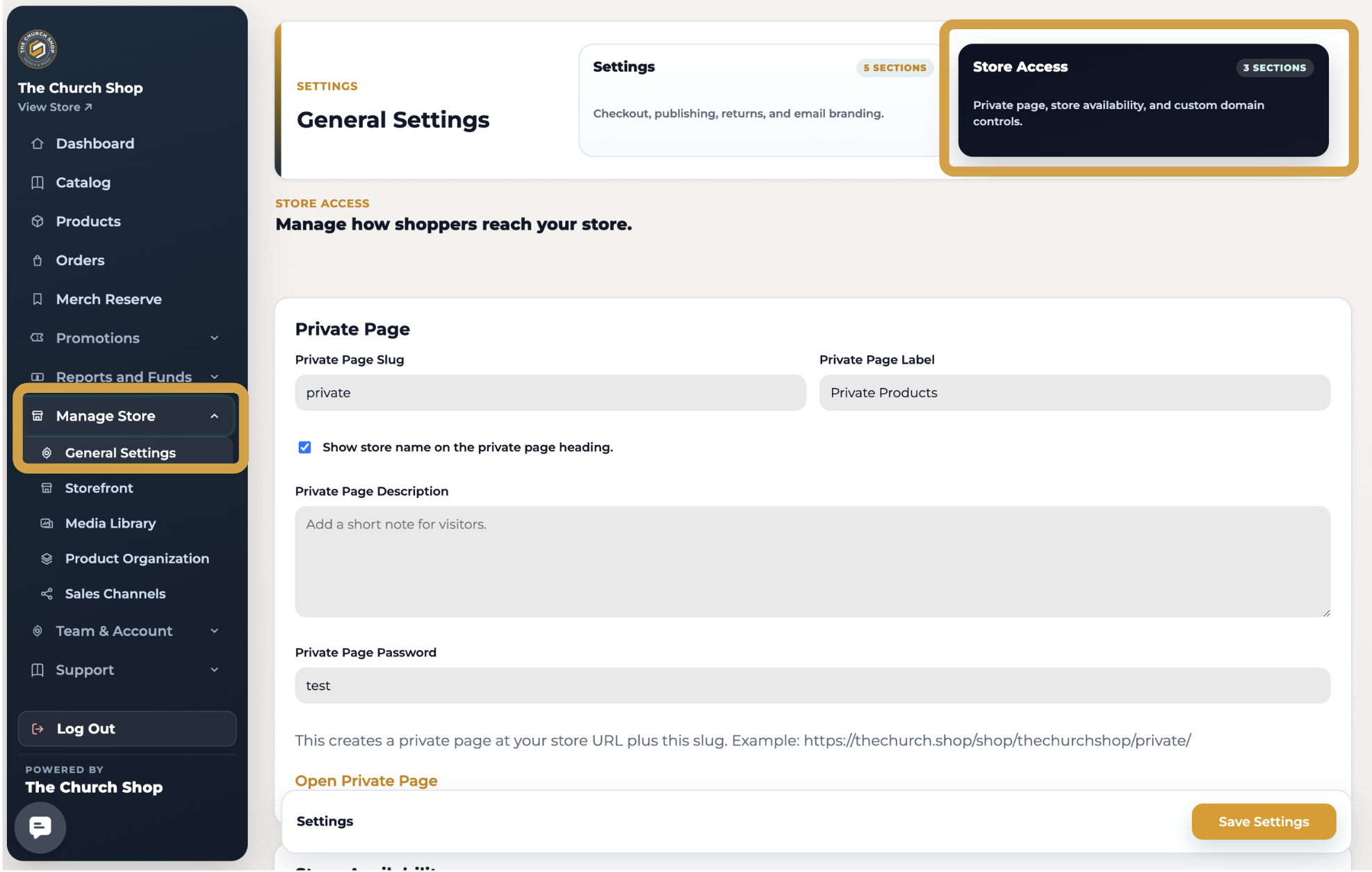
From your dashboard, click Manage Store.
Select General Settings.
Scroll down to the Store Access section.
Scroll down to enable the store closure option and configure your preferred settings.
Choose When Your Store Closes
👉🏻 Enter both a Close On and Reopen On date and time. Your storefront will automatically close and reopen during the scheduled time frame.
👉🏻 Leave both the Close On and Reopen On fields blank. Your store will close right away and remain closed until you manually reopen it.
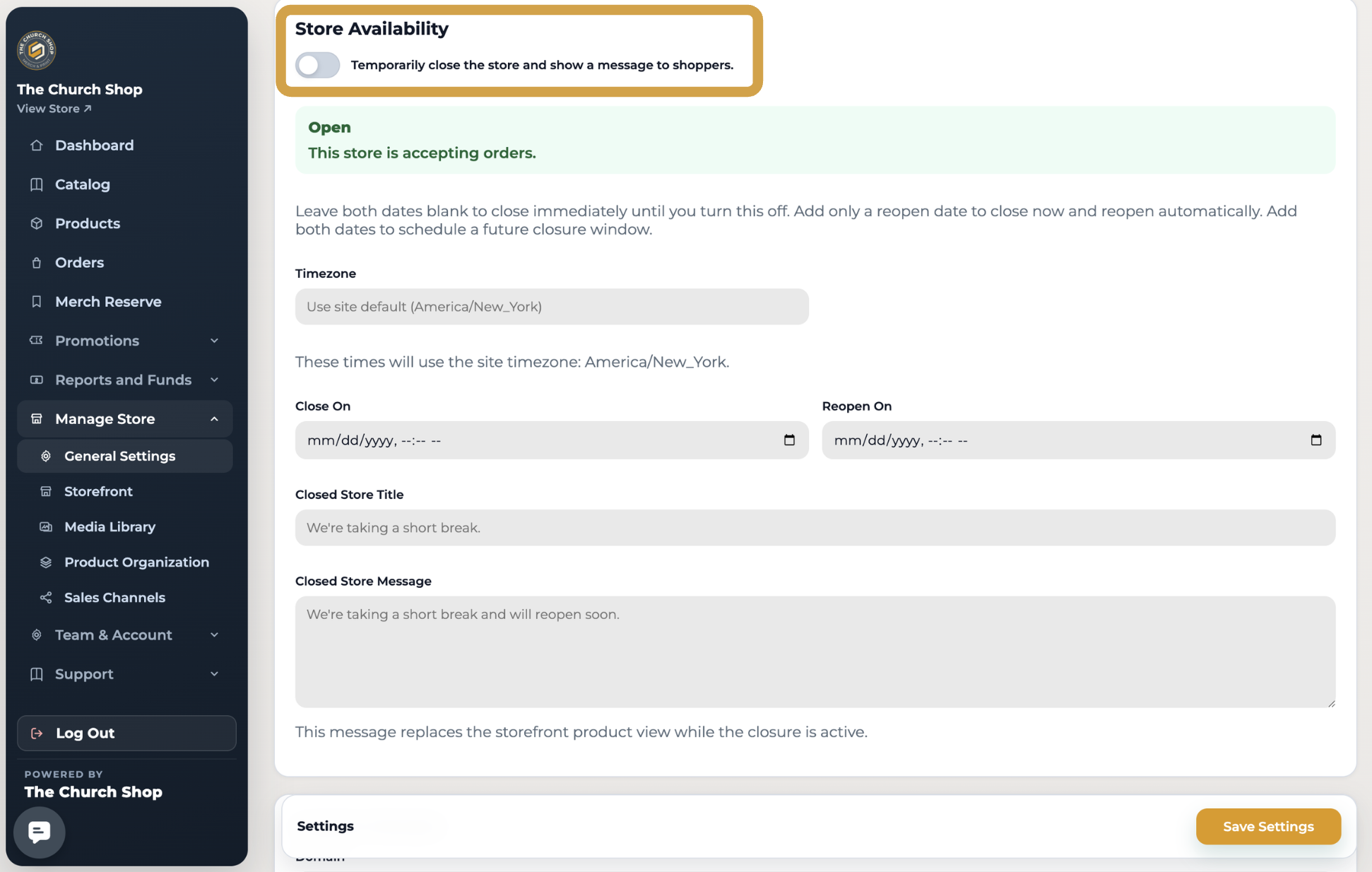
Customize Your Closed Store Message
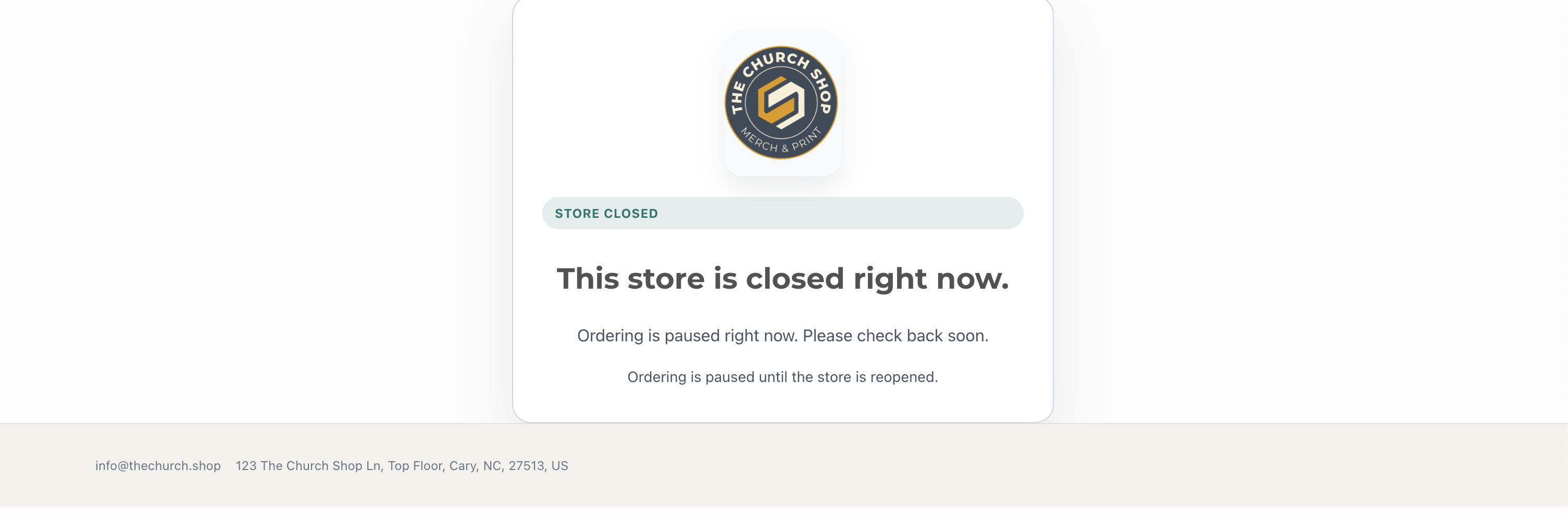
While your store is closed, visitors will see a custom message instead of your storefront. This is a great opportunity to let your church community know what's happening and when they can expect the store to return.
HowYour Storefront Will Look Like
Need Help?
If you have any questions or need assistance setting up your store closure schedule, our support team is happy to help. Reach out to us at support@thechurchshop.com