
Merch Reserve Export
Edited
You can now download all of your Merch Reserve orders right from your dashboard, no more opening each order one by one.
How to Export Your Merch Reserve Orders
Log in to your dashboard.
Go to Orders.
Click Merch Reserve.
Select Export CSV.
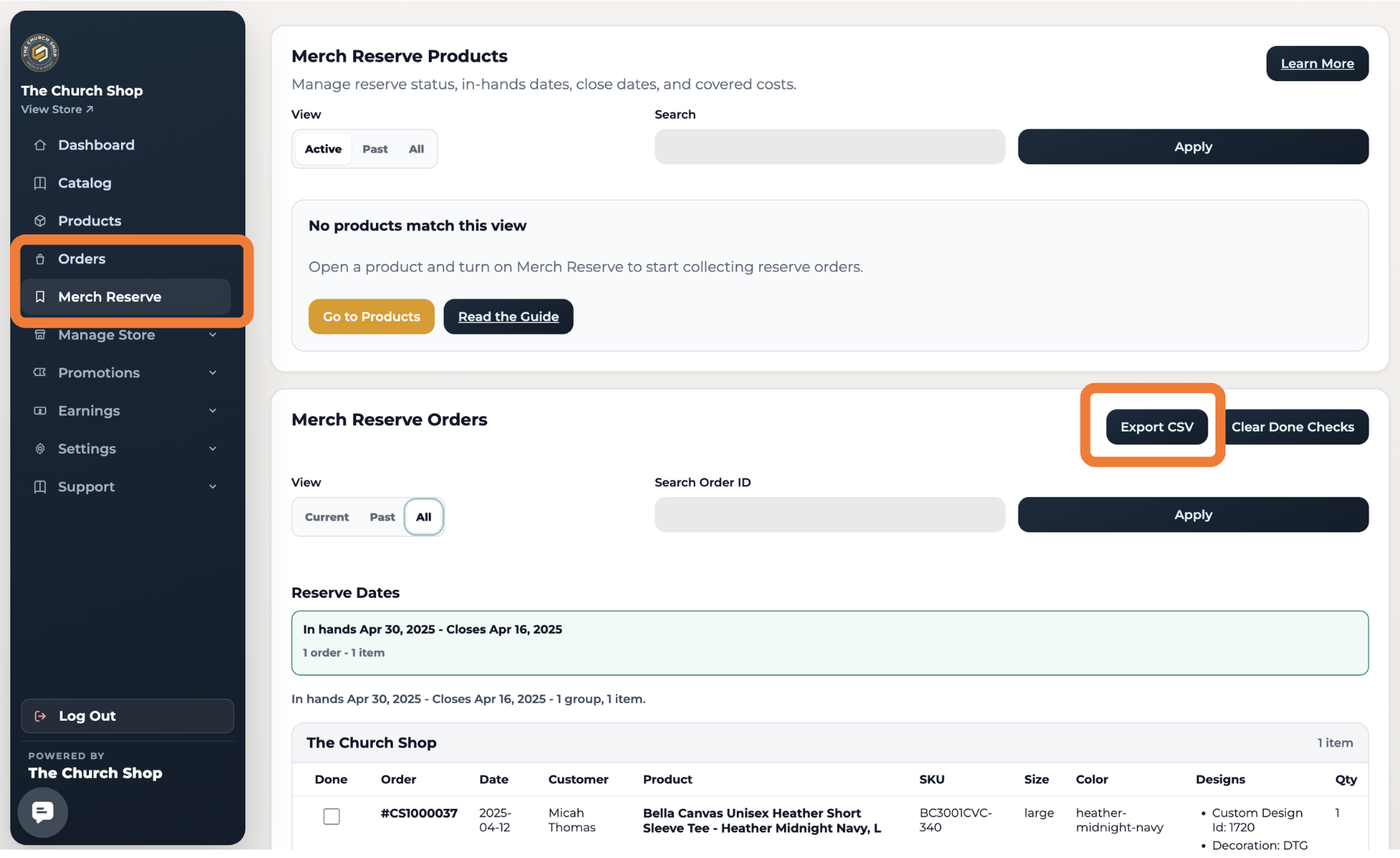
That's it! Your Merch Reserve orders will be exported into a CSV file that you can view, download, or share anytime.
Why Use the Export?
The exported CSV makes it easy to:
✅ View all Merch Reserve orders in one place.
✅ Download a copy for your records.
✅ Share order information with your team.
✅ Analyze or organize orders using spreadsheet software like Microsoft Excel or Google Sheets.
Need Help?
If you don't see the Export CSV option or have any questions, please contact our support team at support@thechurch.shop. We'll be happy to help!
Was this article helpful?
Sorry about that! Care to tell us more?