Gift Cards & Custom Promo Codes
About Gift Cards
Gift Cards are a simple and flexible way to offer store credit to your congregation, staff, volunteers, or guests. Gift cards can be used toward products and shipping across your store.
When you purchase a gift card (for example, $10), you’ll receive a unique, randomly generated code. You can share this code with anyone, and they can enter it at checkout to receive the gift card amount off their order.
Buy a Gift Card
Gift cards are an easy way to share store credit with someone else. Once purchased, you’ll receive a unique gift card code that can be entered at checkout to apply the balance to an order.
👉 Click here to purchase a Gift Card.
How to Purchase a Gift Card:
Select your preferred gift card amount.
Choose the quantity.
Add the gift card to your cart.
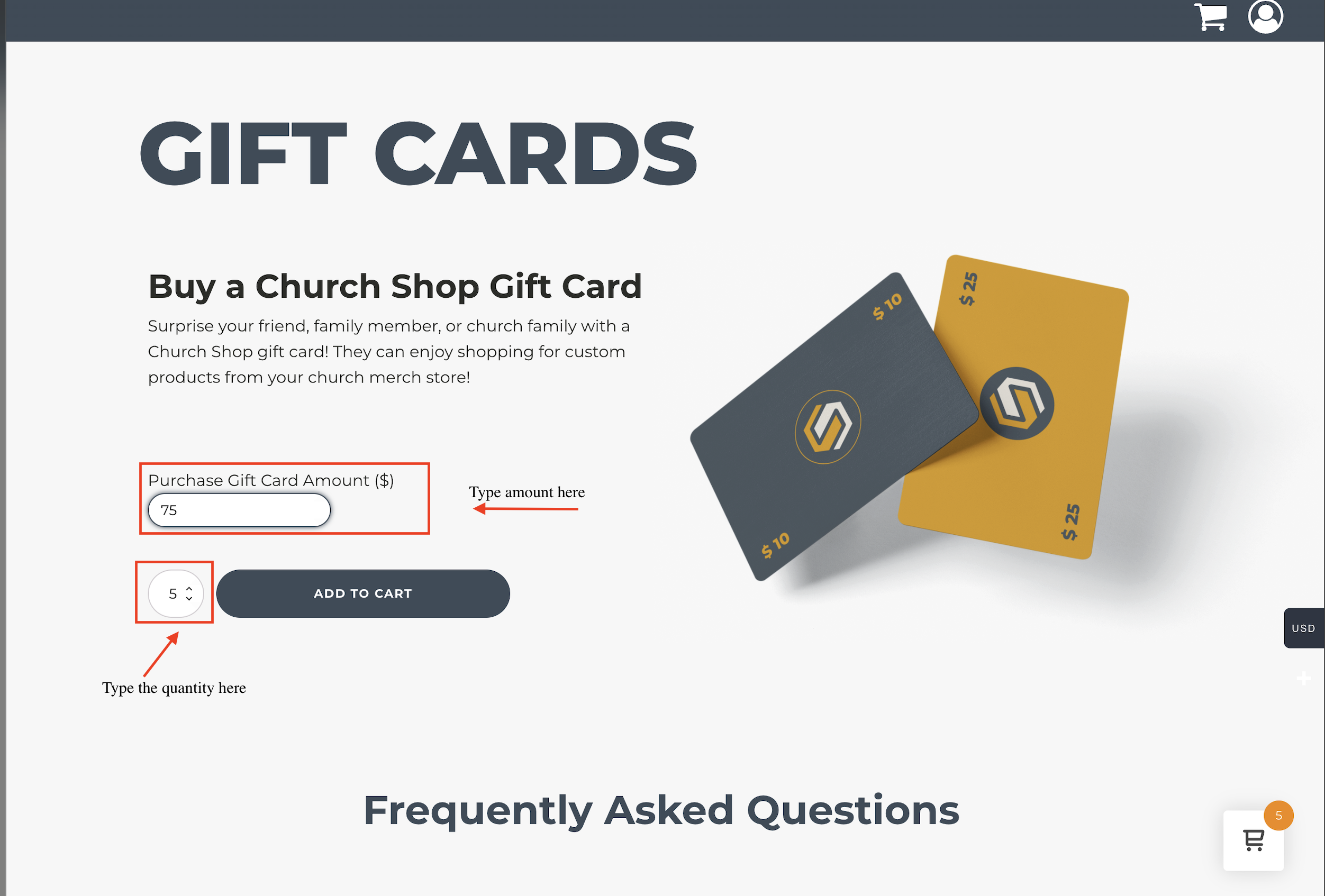
After checkout, the gift card code will be provided and can be shared with anyone.
How to View & Purchase Gift Cards from Your Dashboard
If you’re an admin, you can also access gift cards directly from your dashboard:
Go to Gift Cards in your dashboard.
Click Buy Gift Cards.
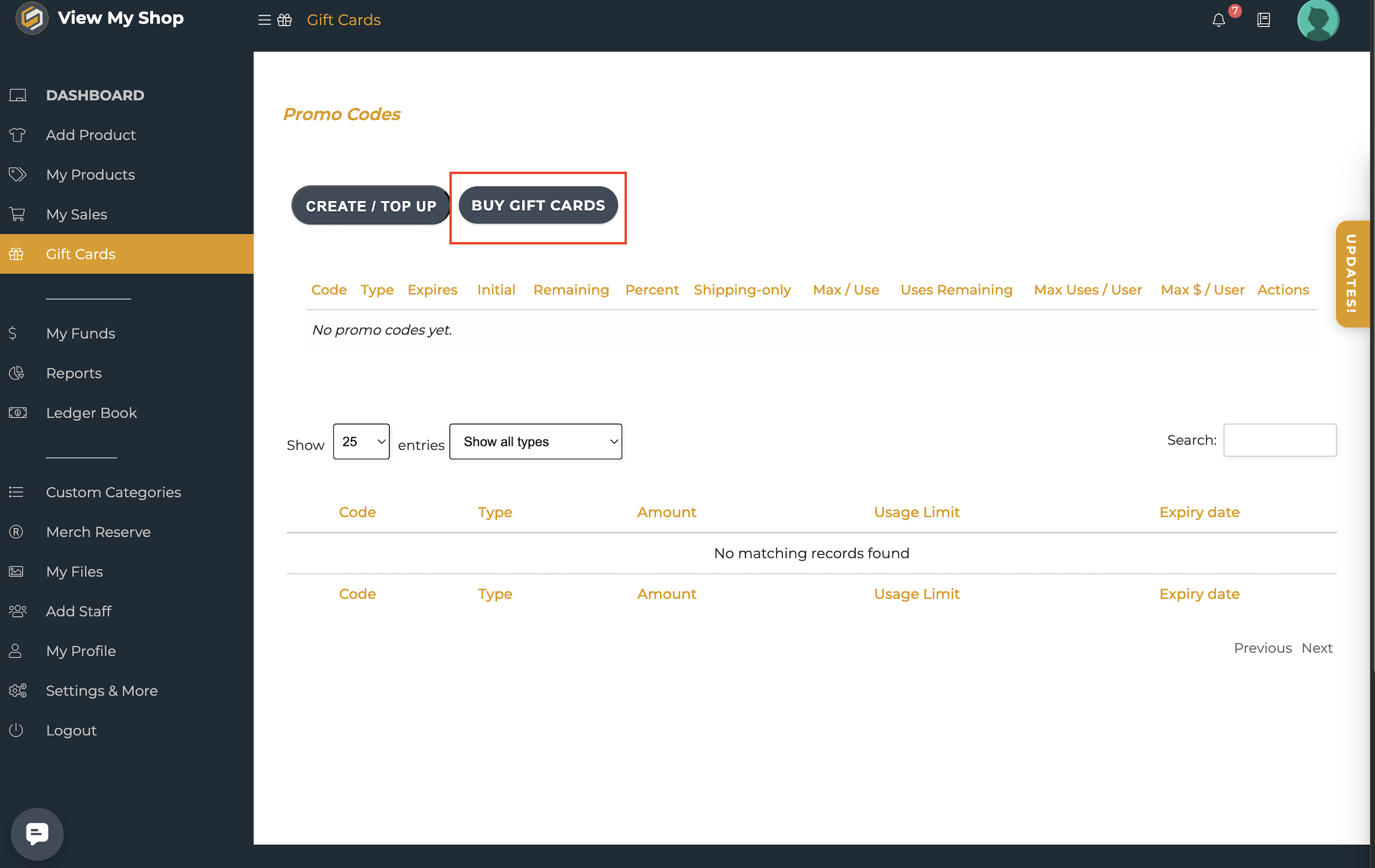
From this section, you’ll be able to purchase gift cards and track existing ones, including viewing their balances and checking whether they’ve been used.
How to Create a Custom Promo Code
Custom Promo Codes are a flexible way to offer discounts in your store. You can set discounts as dollar amounts (e.g., $5 off) or percentage-based (e.g., 10% off), and you can customize the name of your promo code to make it unique and easy to identify for your organization.
Here’s how to create or manage a promo code from your dashboard:
Log in to your dashboard as an admin.
Go to Gift Cards.
Next to Buy Gift Cards, click Create / Top Up.
From the Actions tab, you can:
Create a new promo code
Top up an existing code
Edit an existing code
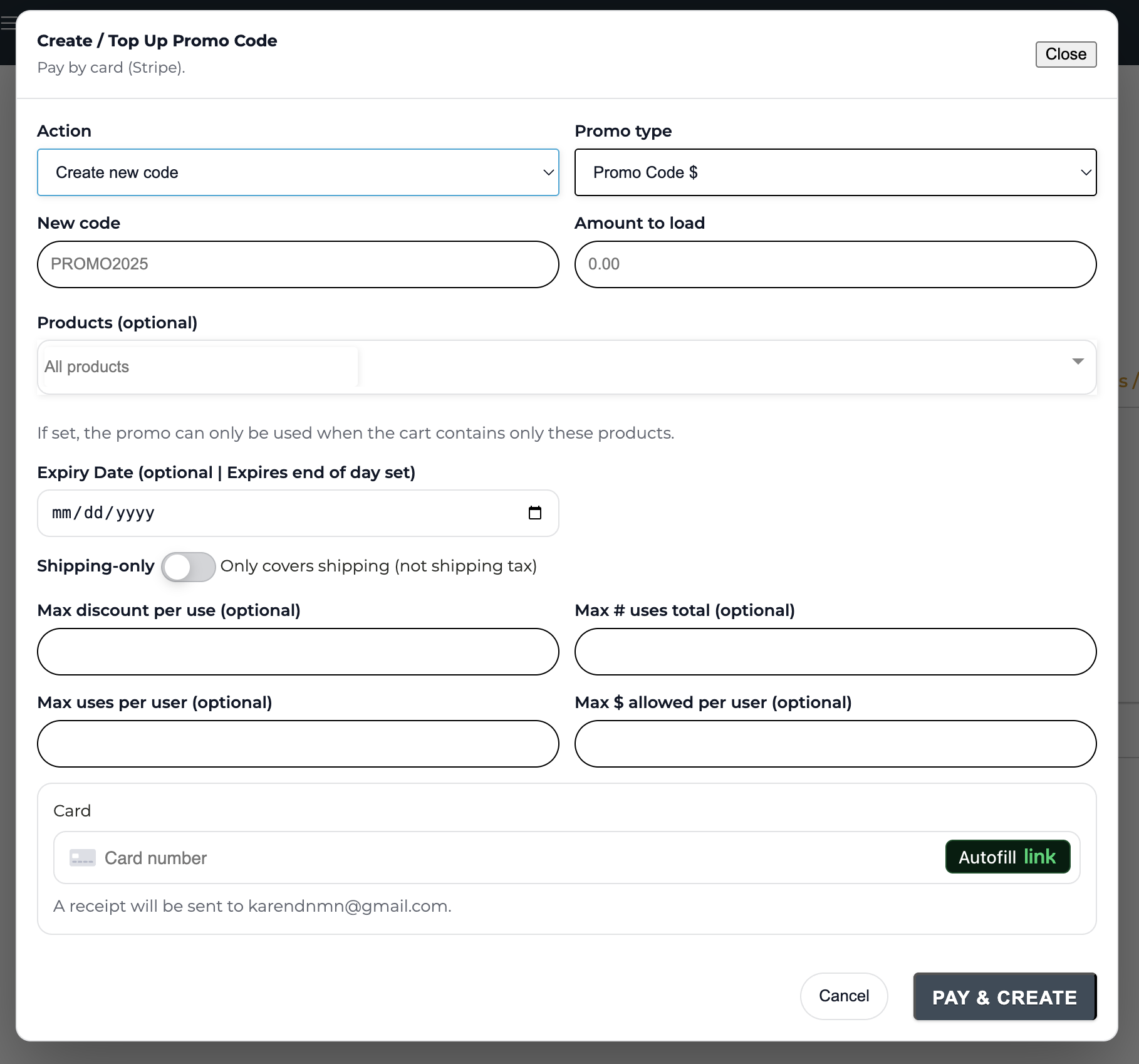
When creating or editing your promo code, you can:
Choose the promo type:
Dollar amount (e.g., $5 off)
Percentage (e.g., 10% off)
Additionally, you can create your own custom promo code name. We recommend including something unique to your organization to make it easily identifiable (e.g.,
FBCKidsMin,FaithChurchGuest).These settings help you control usage, stay within budget, and customize how the promo code is applied.
Usage Controls
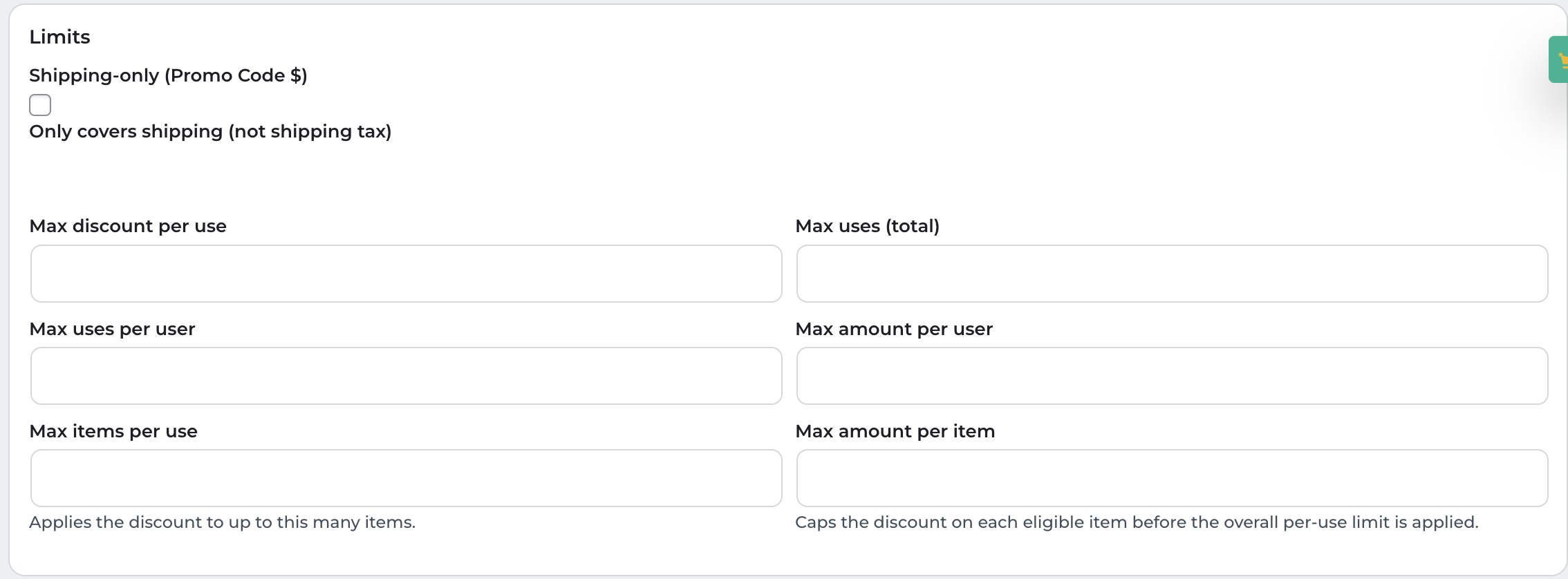
You can also use the following optional settings to further control how a promo code is used:
Max per Use
Limits the total discount amount that can be applied in a single checkout.
Example: If your promo code is for 20% off, but Max per Use is set to $15, the discount for that order will not exceed $15.
This is helpful if you want to offer a percentage-based discount but still cap how much can be taken off in one order.
Max No. of Uses
Limits the total number of times the promo code can be used across all customers.
Example: If set to 50, the promo code can only be redeemed 50 times total before it becomes inactive.
This is useful for limited promotions, special events, or budget-controlled campaigns.
Max Uses per User
Limits how many times one customer/account can use the promo code.
Example: If set to 1, each customer can only use the code once. If set to 3, the same customer can use the code up to 3 times.
Helps prevent one person from repeatedly using the same code beyond what you intended.
Max $ Allowed per User
Limits the total dollar amount of discount a single customer can receive from that promo code across all their orders.
Example: If set to $20, a customer can keep using the promo code until they’ve received a total of $20 in discounts, after which the code will no longer apply for that user.
This is helpful when you want to allow repeat use, but only up to a set total value per customer.
Max $ Allowed per Item
Limits the total discount amount that can be applied to a single item.
Example: If a promo would normally discount an item by $12, but Max $ Allowed per Item is set to $8, the discount for that item will be capped at $8.
Useful for protecting margins on higher-priced items while still allowing the promo code to be used.
Need Help?
If you have any questions or need assistance setting up gift cards or promo codes, our support team is always happy to help. You can reach us at support@thechurch.shop.