How to Offer Digital Gift Cards in Your Church Store
Digital gift cards are a thoughtful way for your church community to show appreciation, celebrate special occasions, or bless someone with a gift they'll enjoy.
You can customize the design, choose where gift cards appear in your store, and manage email delivery directly from your dashboard.
1. Add a Gift Card to Your Store
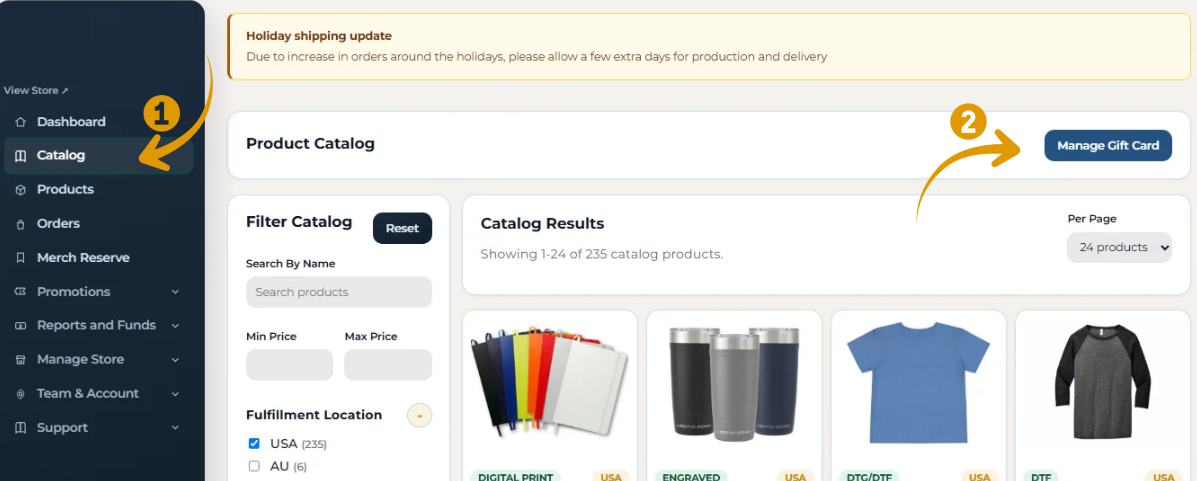
Log in to your dashboard and open Product Catalog.
Select Add Gift Card
Use the default design or click Edit Design to upload your own artwork.
For best results, use an image sized 1200 × 600 px.
Click Add to Store.
2. Choose Where Your Gift Card Appears
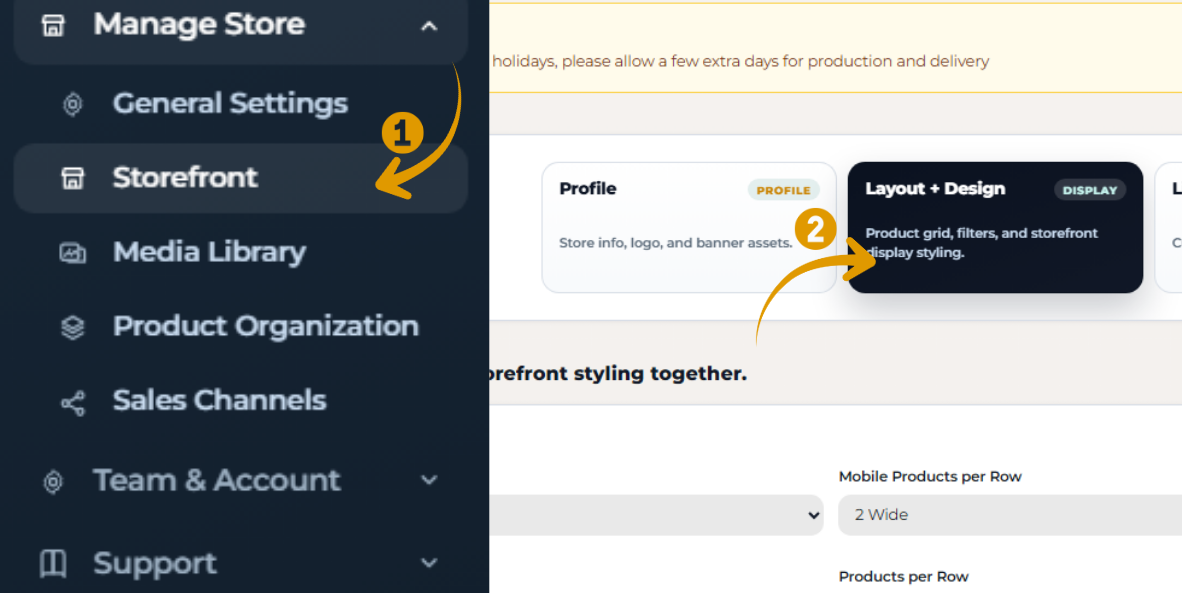
From the gift card panel in your catalog, select Edit Style to open:
Storefront > Layout + Design > Gift Card Management.
You can choose any combination of these five display options:
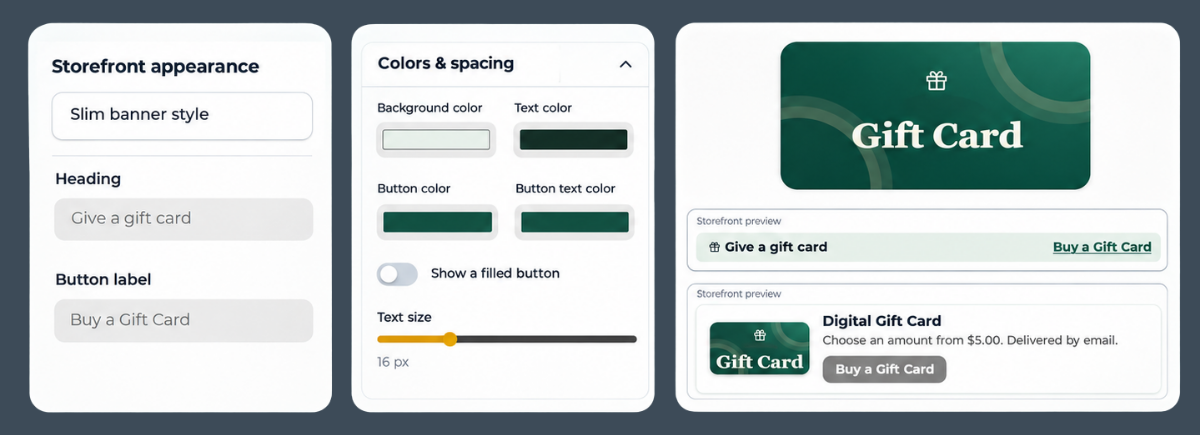
Slim Banner: Appears at the top of your storefront.
Featured Section: Displays below your product catalog.
Shop Navigation: Adds a link to your desktop and mobile navigation.
Footer Link: Places a link at the bottom of your storefront.
Product Catalog: Displays the gift card alongside your other products.
When Product Catalog is enabled, use Catalog Position to choose where the gift card appears in your product listing.
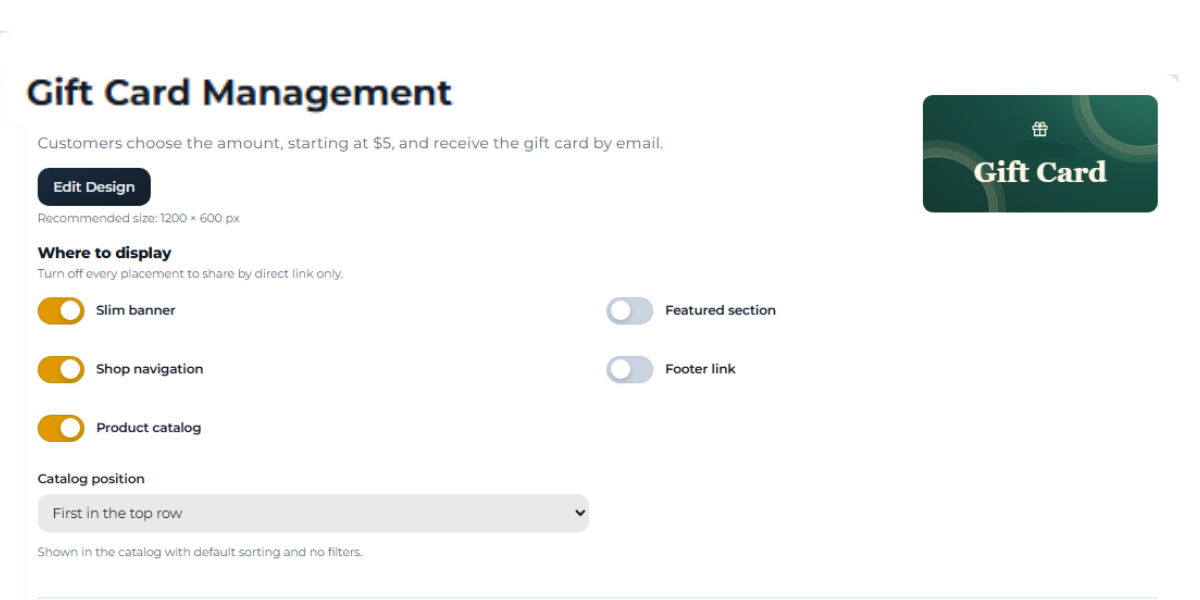
Prefer to share gift cards directly? Turn off all five display options and share the purchase page through its direct link
3. Customize Your Gift Card Display
Adjust the wording, alignment, colors, text size, and spacing for the slim banner and featured section. You can also hide the slim banner gift icon.
Preview your changes, then click Save Gift Card, Select View to open the purchase page and copy its link.
4. Manage Gift Card Delivery
Gift cards are delivered directly to the recipient's email address.
To check delivery:
Open Orders in your dashboard.
Select the gift card purchase.
Under Items, review the recipient and email status.
If the recipient hasn't received the email, select Resend gift card.
This sends the same gift card code to the original recipient.
What Your Church Community Should Know
Gift card amounts start at $5 USD.
Shoppers can send a gift card to themselves or someone else, along with a short personal message.
Gift cards for different recipients must be added separately.
Recipients receive their gift card code by email and can enter it at checkout.
Any unused balance remains available for future purchases.
Gift cards are delivered digitally, so no shipping is needed.
Ready to Offer Gift Cards?
Head to Product Catalog > Add Gift Card in your dashboard to get started.
Need a hand? Our support team is happy to help at support@thechurch.shop.