
Promo Code Balance Alerts
Keep track of your promo code funds by enabling Promo Code Balance Alerts. This feature notifies you by email when a promo code is running low, helping you replenish funds before the balance reaches zero.
Where to Find It
Go to: Promotions > Promo and Discount Codes > Settings.
Set Your Low-Funds Alert Level
The Low-Funds Alert Level determines when you'll receive an email notification.
For example:
Starting Balance: $200
Alert Level: 50%
You'll receive an email once the remaining balance drops below $100.
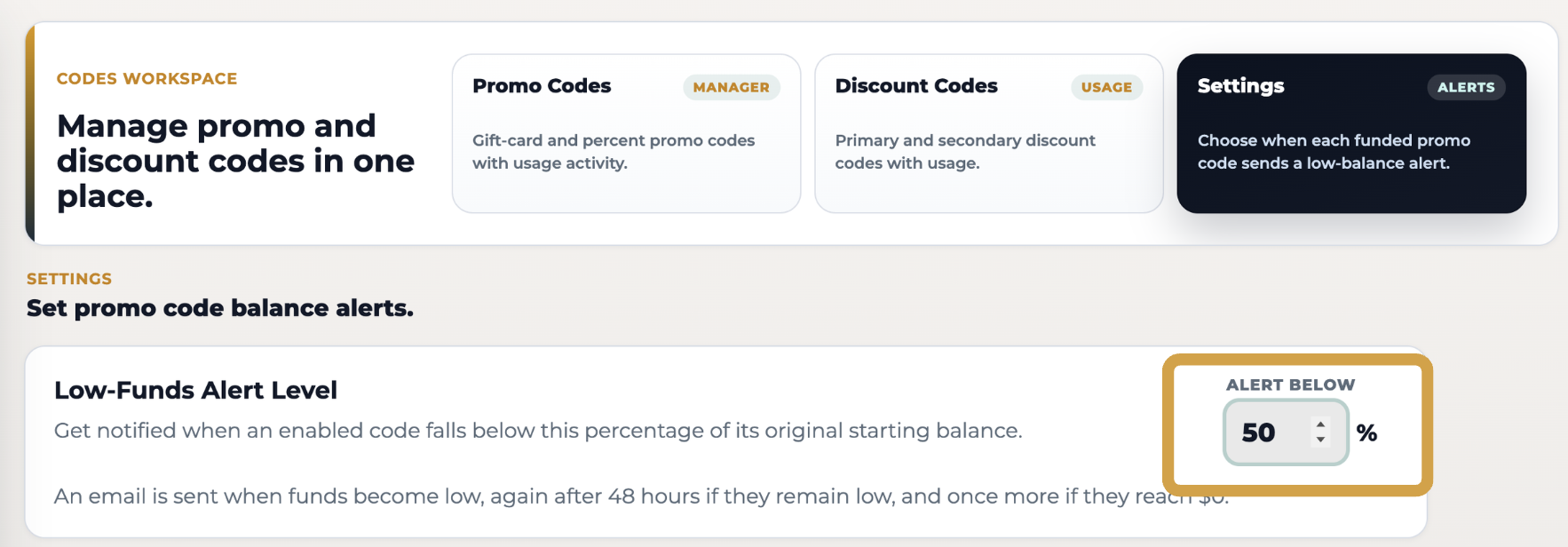
You can adjust the percentage at any time and click Save Alert Settings to apply your changes.
Note: The alert threshold is based on the promo code's original starting balance.
Enable Alerts for Your Promo Codes
Each promo code has its own alert setting.
New promo codes have alerts enabled automatically.
Existing promo codes will need to be enabled manually by checking the box next to the promo code.
What Happens When Funds Run Low?
Once your promo code falls below the alert threshold, you'll receive an email that includes:
The promo code name.
The remaining balance.
A link to open your dashboard
The email will let you know your remaining balance and provide a quick link to your dashboard so you can add more funds if needed.
FAQs
Will my promo code stop working when I receive a low-balance alert?
No. The email is simply a notification that your balance is running low.
Can I change the alert percentage?
Yes. You can update the percentage at any time under Codes Workspace → Settings.
Can I turn alerts off?
Yes. Simply uncheck the alert box next to any promo code you don't want to monitor.
Need Help?
If you have any questions or need assistance with your promo codes, reach out to us at support@thechurch.shop. Our team will be happy to help!