How to Set Your Merch's Commissions
Edited
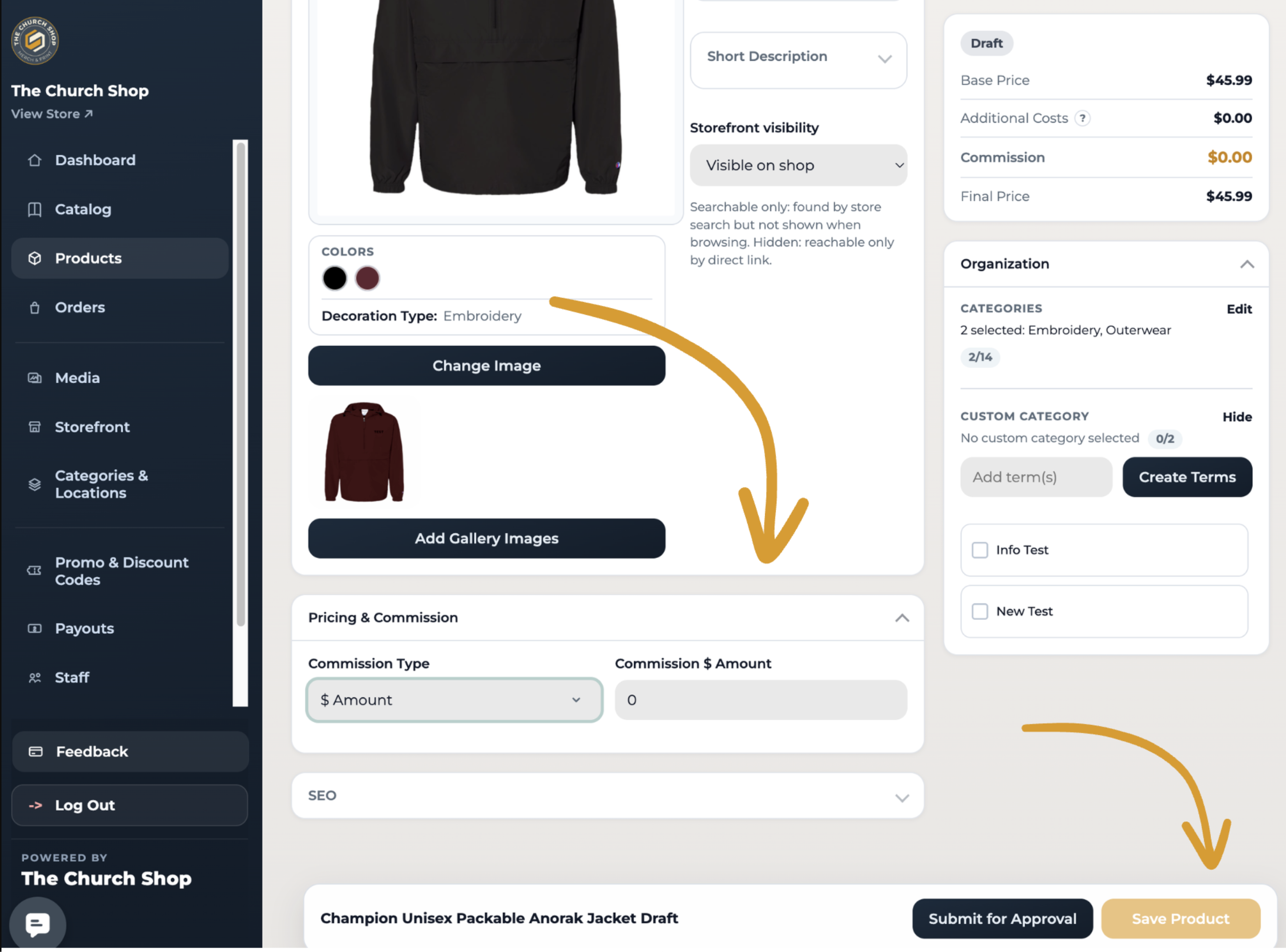
To set commissions for products in your store, go to Dashboard > My Products.
Open a product by clicking “Edit Design.”
Scroll down to Pricing & Commission, where you can select the Commission Type as:
Percentage
Fixed dollar amount
Or both
You can also set commissions when creating a new product. Simply scroll to the bottom of the page and click “Save Approval” once you’ve set the commission.
That’s it! You’ll earn the commission set for each product your church members or volunteers purchase from your store.
📩 Questions?
Feel free to reach out to our team. Email us anytime at support@thechurch.shop, and we’ll be happy to help!
commissions
profit
earnings
Was this article helpful?
Sorry about that! Care to tell us more?