Editing Designs
Let’s walk through how to manage colors, make updates, and fix any issues with your products after they’ve been created. With our new feature, you can easily edit your designs right from the "Products” section.
How to Edit Product Designs
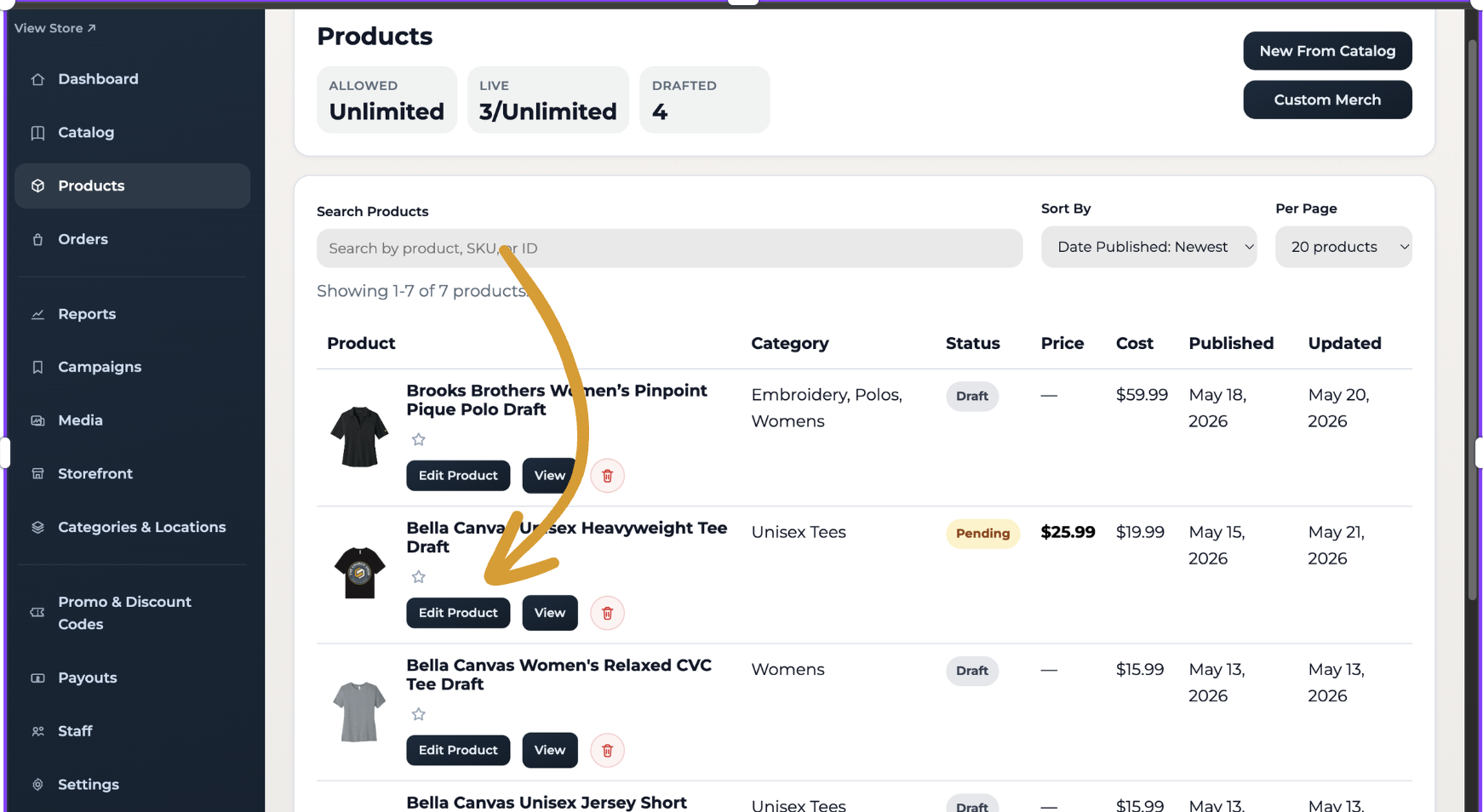
Click the “Edit Product” button
Select “Launch Designer”
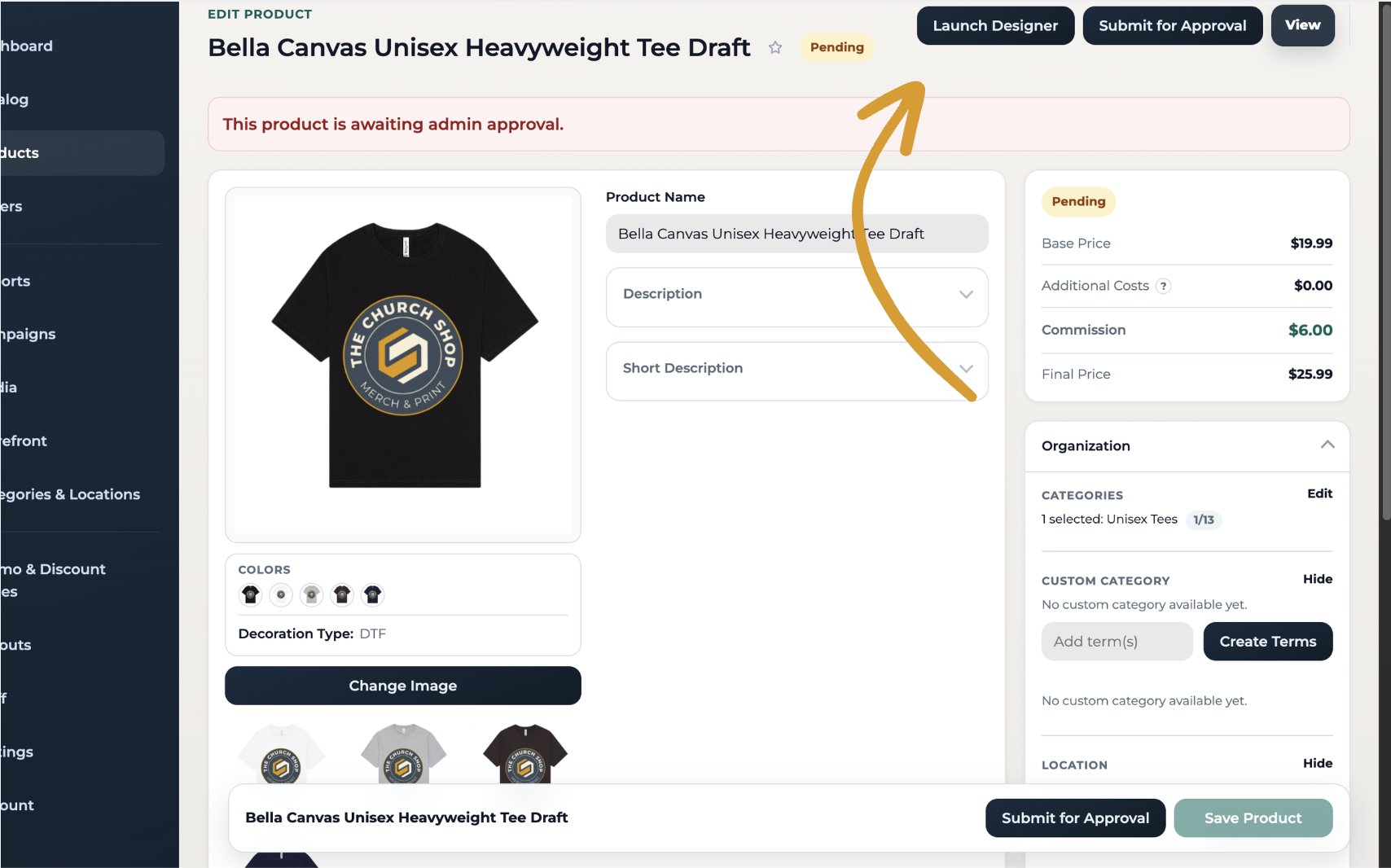
Update colors, designs, and any other details as needed
Click “Submit for Approval” to apply your changes
Important Notes
Editing a product will put your products back into pending status, which will require approval from Customer Service. We will approve it within a few hours.
The original product will no longer exist, and it cannot be restored once deleted.
This process will only impact orders placed after the new product has been approved. Any products currently in production will not reflect the changes made.
📩 If you have any questions or need further assistance, feel free to reach out to our support team at support@impactmerch.com